← All software
Applications
Disk Analyser
See exactly what's eating your disk space. It scans any folder and shows every subfolder and file as a clear, sortable size tree — so you can find the big ones and clean up with confidence
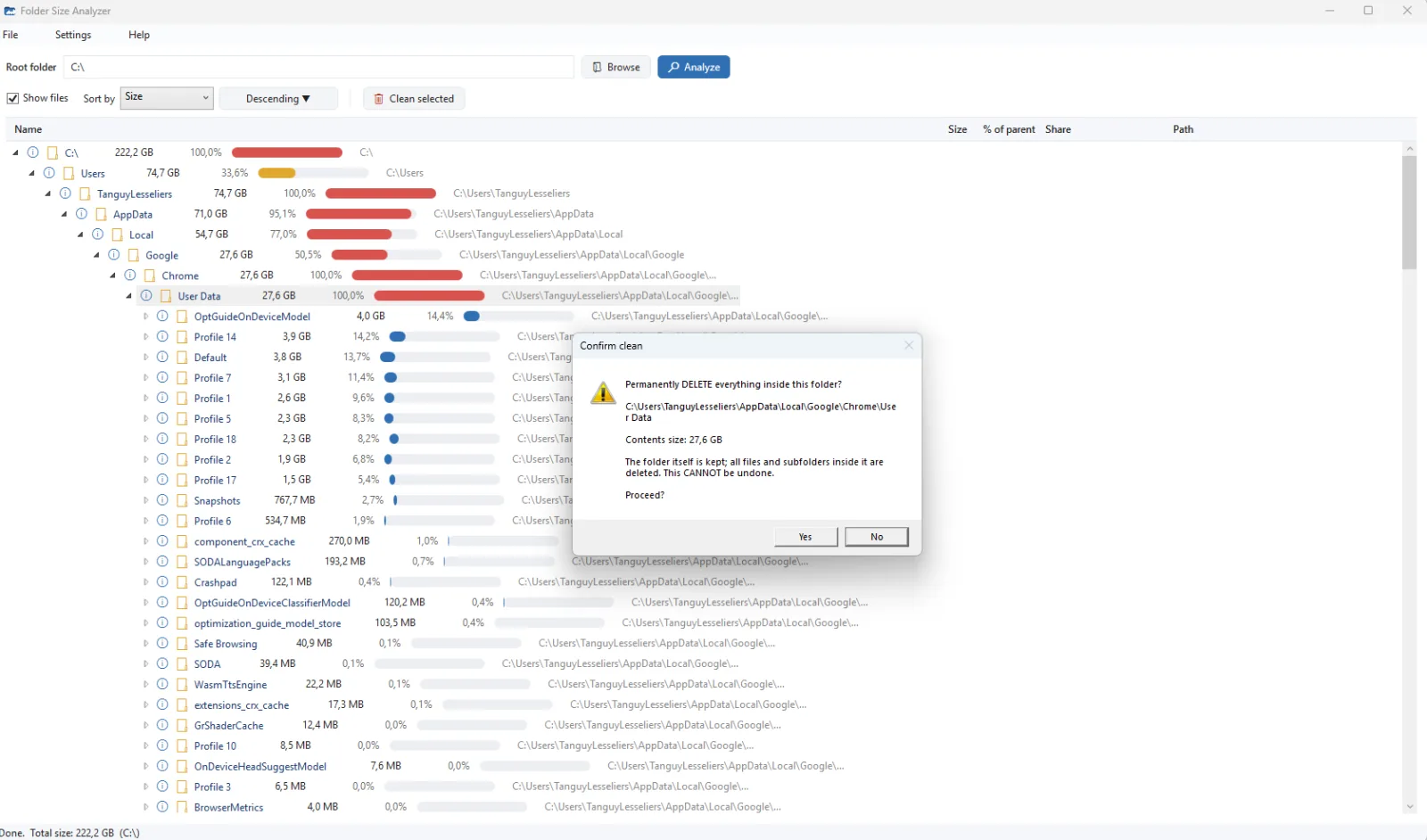
Folder Size Analyzer turns "my disk is full" into a clear picture in seconds. Point it at any folder and it scans everything inside, then lays it out as a hierarchical tree sorted from largest to smallest, with colour-coded share bars that make the space hogs jump out instantly. Every row shows the size, its percentage of the parent folder and the full path — sort by size, name or path, show or hide individual files, and double-click any item to open it straight in File Explorer.
Two optional tools go further: an AI assistant can explain what an unfamiliar folder is for and whether it's safe to clean (your Windows username is removed from the path before anything is sent), while a confirmation-protected cleaning tool empties a folder's contents when you're ready to reclaim space. The app is available in English, French and Dutch with light, dark and automatic themes, remembers your settings and last folder, runs entirely on your PC, and installs per user without administrator rights.
Get the download link
Enter your e-mail address and we'll send you a download link. The link can be used up to 2 times.